
Sometimes two girls whelp on the same night. Breeders Aid treats each litter on its own: each has its own Whelping mode, its own count of puppies and placentas, and its own diary. The trick is simply to check which litter you're in before you tap Puppy born!.
Steps
- Create a litter for each mum (for example Willow × Rocky and Daisy × Teddy). See Start a new litter.
- Open Whelping mode for the first litter from that litter's Overview tab or its ••• menu.
-
Before recording a birth, check the title at the top of Whelping mode. It says Whelping with mum's name and the litter name underneath, for example Willow · Willow × Rocky.
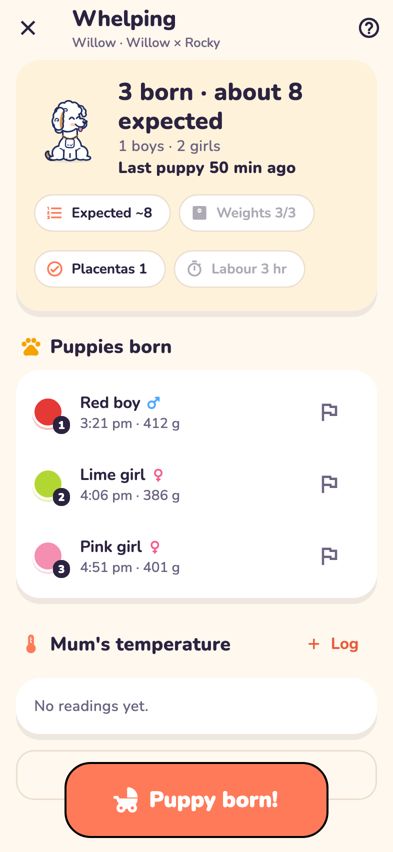
Whelping mode showing mum's name and the litter name at the top - Record the births for that litter as usual with Puppy born!.
-
To switch, go back to Litters, open the other litter and open its Whelping mode.
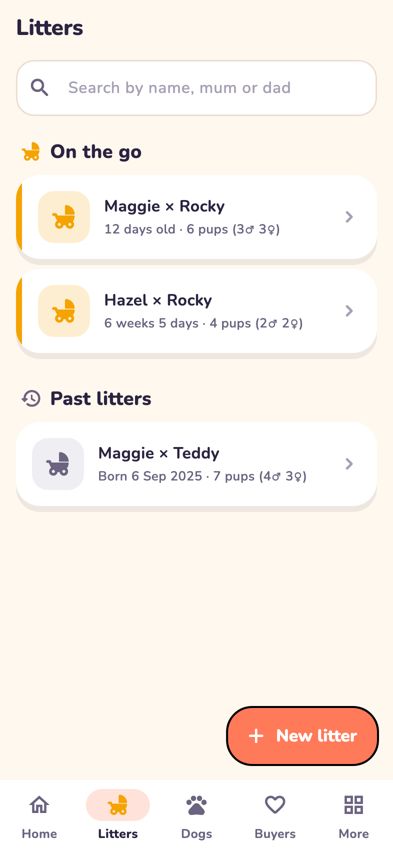
The Litters tab listing both litters on the go - When you use Weigh puppies or Diary note on Home with more than one litter on the go, Breeders Aid asks Which litter? first. Tap the right one.


Tips
- Use different collar colours in each litter if you can. Breeders Aid warns you when a collar is used twice in the same litter, but not across two litters.
- Each litter keeps its own unsaved puppy. If you were halfway through adding a puppy to one litter, it's still there when you go back to that litter.
- Shift handover shows each litter in its own section, so the next person can see both at a glance.
- The calendar gives each mum her own colour. Tap her name at the top of the calendar to see only her dates.
Troubleshooting
- I recorded a puppy in the wrong litter. Open the puppy, tap •••, choose Remove puppy… with the reason Wrong litter, then record the puppy again in the right litter. See Fix a mistake in a litter or puppy.
- Could the summary counts get mixed up between litters? No. Each litter's summary is built only from its own puppies and notes.
- Can two people record births on two phones? Yes. Each person opens the litter they're looking after. To see what the other person has recorded, go back and open the screen again.
- How do I weigh just one of the litters? Tap that litter's card on Home and use its Weigh button, or open the litter and tap Weigh puppies.