Practice mode (also called Demo Mode) opens the whole app on a made-up farm: dogs such as Maggie, Bella and Rocky, two pregnancies close to their due dates, and a litter to weigh. It's a safe place to try Whelping mode or a weigh-in before the real thing. Nothing you do in practice is saved, and your real records are never touched.
Steps
-
If you haven't signed in: on the sign-in screen, tap Try it with practice data. No account is needed.
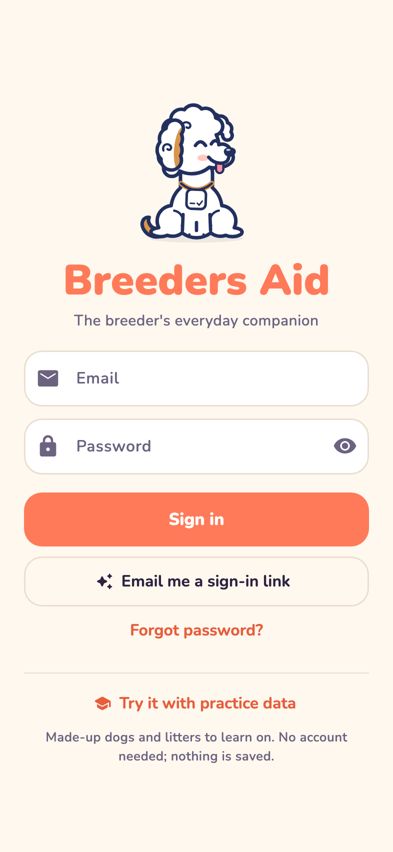
The sign-in screen with Try it with practice data at the bottom -
If you're already signed in: tap More, then tap Switch to Demo Mode in the Account section. Your own records are closed and hidden while you practise.
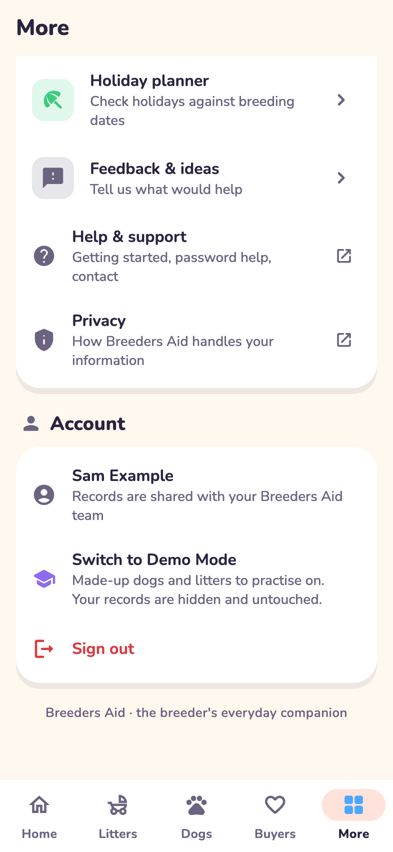
The More tab with Switch to Demo Mode in the Account section -
A purple DEMO MODE · made-up records, nothing is saved bar stays at the top of the screen the whole time you're practising.
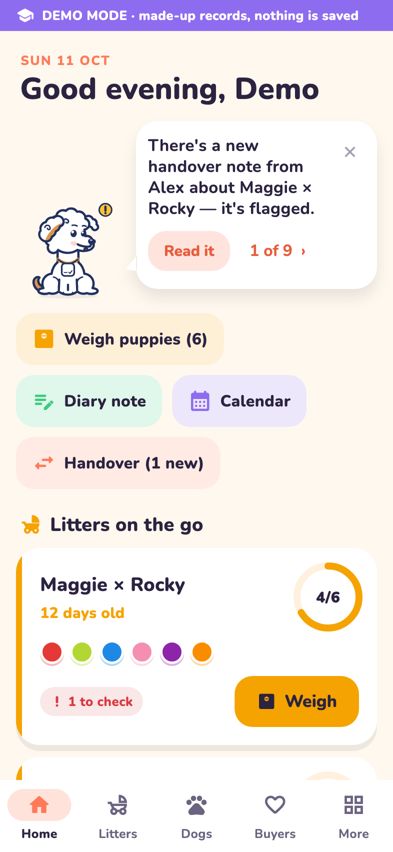
Home in practice mode with the DEMO MODE bar across the top - Explore. Try New litter, record a birth with Puppy born!, weigh the puppies, add a diary note or allocate a puppy to a buyer.
- To start again with the original farm, go to More and tap Reset demo data, then tap Reset. Everything you added or changed in demo mode is cleared.
- To finish, go to More and tap Back to My Breeding Business (if you switched from your account) or Leave demo mode (if you started from the sign-in screen).


Tips
- The made-up dates move with today's date, so the pregnancies are always due in a few days.
- A few things aren't part of practice mode: adding a dog, the detailed breeding journal, full dog records and most of the extra tools in More. These are hidden, or greyed out and marked Not part of demo mode.
Troubleshooting
- Is anything I do in practice saved? No. Practice records live only on this device while you use them. Leaving demo mode or tapping Reset demo data clears them.
- Will practising change my real dogs or litters? No. Demo mode doesn't use your real records at all. Back to My Breeding Business returns you to your records exactly as you left them.
- How do I know if I'm in demo mode? Look for the purple DEMO MODE bar at the top of the screen. If it's there, you're practising.
- I don't see Switch to Demo Mode in More. It's in the Account section, near Sign out. If you opened practice from the sign-in screen, you're already in demo mode.
- My account opens straight into practice. Why? Some accounts are set up for practice first. You'll see a Welcome to practice mode message. Your own records appear once your breeding business has its own space in Breeders Aid.