
The Breeders Aid calendar brings together seasons, scans, whelping, puppy care and go-home dates for all your dogs. Each date carries a label that tells you how sure it is, from a best guess to something that's already happened. When the real dates arrive (for example the puppies are born), the estimates move to match.
Steps
- Open the calendar. Tap Calendar in the quick buttons on Home, or go to More and tap Calendar. From a litter, tap ••• and choose Litter calendar to see just that family's dates.
-
Choose a view at the top: Coming up lists the next few months day by day; Month shows a month grid with dots on busy days.
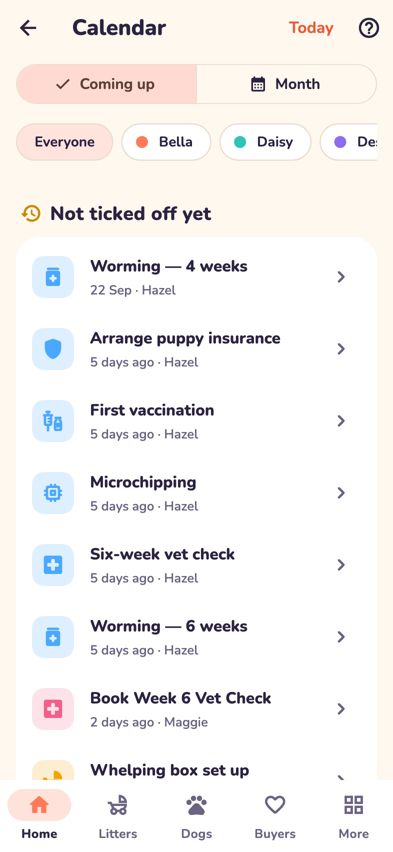
The calendar's Coming up view -
In Month, tap a day to see what's on. Tap Today at the top to jump back to today.
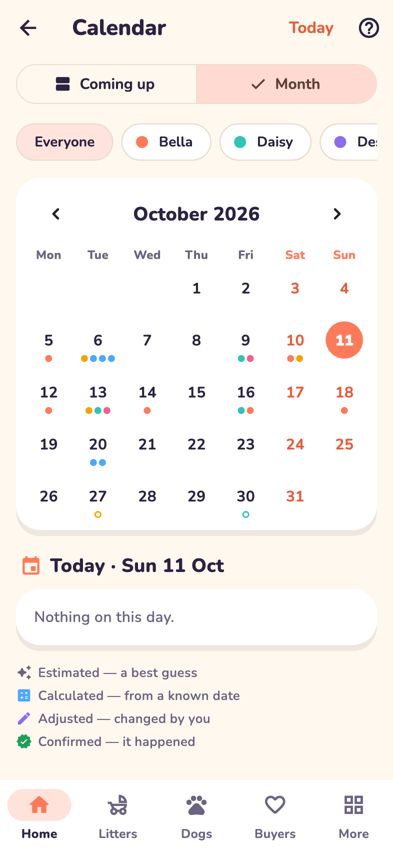
The calendar's Month view with dots on each day that has dates - If you have more than one dog with dates, tap her name at the top to see only her dates, or Everyone to see them all.
-
Tap any date to open it. You'll see the full date, its label, any notes, and links such as Open the litter or Open the breeding journal.
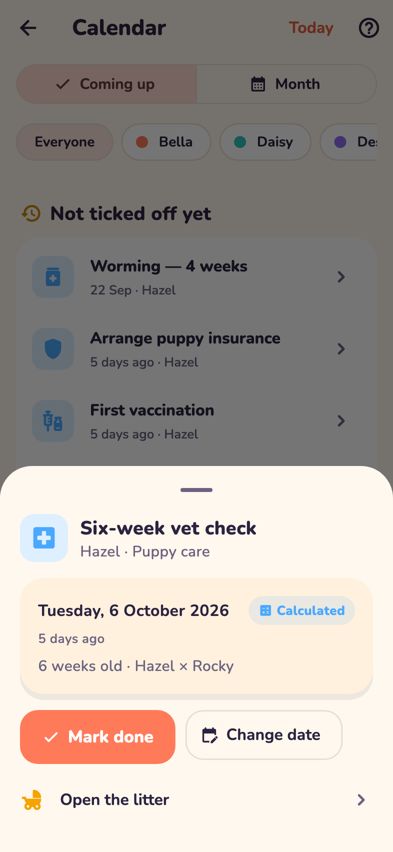
A calendar date opened, with Mark done and Change date - Where you see Mark done, tap it when the job is finished (tap Mark not done to undo).
- To move a date, tap Change date, pick the new day, add a Reason (optional) such as "Vet clinic closed Sunday", and tap Save date. Only this date changes, and the original is kept in the History.
- Changed your mind? Tap Reset to … to go back to the calculated date.


What the labels mean
- Estimated: a best guess, for example the due date worked out from the season start. Shown in italics with a hollow icon.
- Calculated: worked out from a known date, such as ovulation or the birth date.
- Adjusted: changed by you.
- Confirmed: it happened.
Tips
- Appointments that fall on a weekend show a Saturday or Sunday warning, with Choose another date to move them.
- Dates you haven't ticked off from the last month appear under Not ticked off yet in Coming up.
- If a litter's birth date changes, puppy care dates move with it, but dates you adjusted by hand are kept.
- A Check date label means something doesn't add up, such as a desexing deadline with no date recorded.
Troubleshooting
- The calendar says "Nothing coming up". Dates appear when a season starts or a litter arrives.
- I can't change or tick off some dates. Mark done and Change date only appear on dates you can manage from the calendar, such as puppy care dates. Steps that belong to the breeding journal (such as matings) are changed in the journal so linked dates stay in step. Estimated pregnancy dates (such as Expected whelping and the scans) follow the journal, and confirmed dates like Puppies born can't be moved here. To fix a litter's birth date, use Change birth date in the litter's ••• menu.
- My due date changed by itself. Estimated dates update when better information arrives, for example when an ovulation date is entered or the puppies are born.
- I see a note about a database update. Changing dates switches on after a one-time update to your Breeders Aid account. Everything else works in the meantime.